 KMQ
Disclosure: As an Amazon Associate I earn from qualifying purchases.
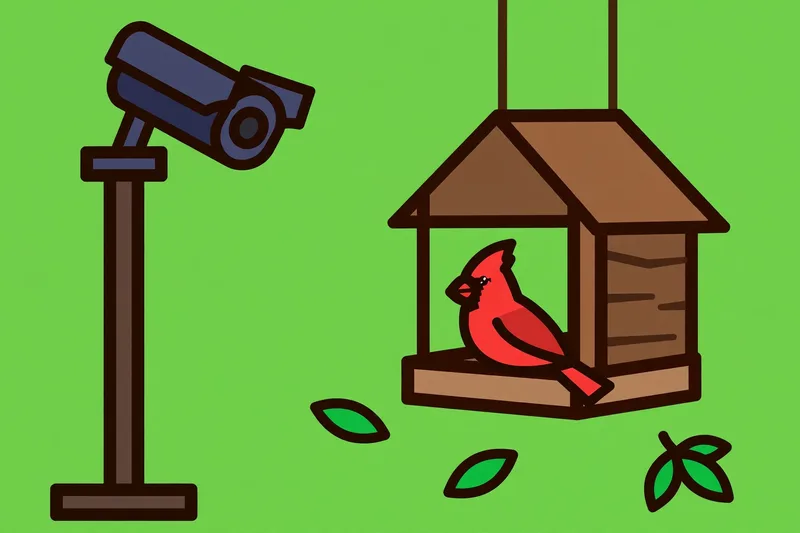
A camera watches your bird feeder. When a visitor lands, an AI chip spots it, a second model names the species, and your phone buzzes: Northern Cardinal. Blue Jay. That squirrel again. This is the most capable build in the library so far — and the one that turns a Pi 5 from a computer into something closer to a naturalist.
Get the full kit → jumps to the parts list. This build stacks on the Project 00 Pi 5; the Python confidence from Project 04 helps, but every step below stands on its own.
What You’ll Need
The star of this build is an AI accelerator — a chip that does nothing but neural-network math, absurdly fast. Prices are estimates checked in October 2026.
- Raspberry Pi AI HAT+ 2 (Hailo-10H, 40 TOPS) — ~$130 est. This is the brain upgrade. 40 trillion operations per second of dedicated AI compute means the Pi can run modern detection models in real time while sipping power a graphics card would laugh at. It stacks onto the Pi 5’s pins and talks over PCIe — no USB dongle weirdness. (The earlier 13/26-TOPS AI HAT+ also works for this build; the 2 is simply faster and is the one to buy new.)
- Raspberry Pi Camera Module 3 — ~$25 est. Autofocus matters at feeder distance, and this module is the one the Pi’s camera software (and the Hailo examples) are built around. The wide-angle version is worth it if your feeder sits close to the mounting point.
- Weatherproof camera case — ~$18 est. The camera lives outside; the Pi itself stays inside or under an eave with the camera cable (up to a meter or two) run to it. Rain on the lens is charming in photos and useless in data.
- Feeder + a solid mount — ~$12 est. A window feeder or a pole mount that puts birds 0.5–1.5 m from the lens. Image quality is identification quality — a stable, close perch beats a clever model every time.
- Already have: Pi 5 (the 16GB is lovely, 8GB works), official 27W supply, active cooling — an AI HAT under load plus a summer eave is a thermal situation, and the cooler from your kit earns its keep here.
Total: ~$185 est. beyond the Pi — the HAT is most of it, and it’s the same HAT the gear spotlight on this site calls the most interesting part in the Pi ecosystem right now.
How It Thinks: Two Models, Two Jobs
One model trying to do everything is how these projects get muddy. This build splits the work the way real vision systems do:
- The spotter (runs on the AI HAT): a YOLO-family detection model watches the video feed at a few frames per second and answers one question — is there a bird (or a squirrel, or a cat) in this frame, and where? Detection is exactly what the Hailo chip eats for breakfast, and Raspberry Pi’s official Hailo examples include this pipeline ready to adapt.
- The namer (runs on the Pi’s CPU): when the spotter fires, the Pi crops the bird out of a full-resolution still and hands the crop to a bird-species classifier — public models trained on bird photo datasets know the common feeder species of North America well. It answers with a name and a confidence score, and only confident answers (say, 70%+) get logged as identifications.
Why split it? Frame-rate and resolution pull in opposite directions. The spotter needs speed on small frames; the namer needs pixels on one bird. Two specialists beat one generalist, and the split is the actual engineering lesson of this build.
Step 1 — Stack and Prove the Hardware (30 Minutes)
Seat the AI HAT+ 2 on the Pi 5 with its standoffs (power off, obviously), connect the Camera Module 3 ribbon — the blue-tab orientation in the Pi’s camera port is the classic fumble; the manual’s photo is your friend — and boot Raspberry Pi OS. Update everything, then prove each layer separately: rpicam-hello shows a camera preview; the Hailo runtime tools (hailortcli) should report the chip; run one of the official Hailo object-detection examples against the live camera and watch boxes appear around objects in the room. Three small victories, in order, before the feeder — debugging a stacked system at the end is how weekends die.
Step 2 — Aim Like a Photographer (20 Minutes)
Mount the camera 0.5–1.5 m from the feeder’s perch, slightly above feeder height, with the light behind the camera when you can arrange it. Fill as much of the frame with the feeder as possible — pixels on the bird are the currency the classifier spends. Fix focus behavior in the camera settings (continuous autofocus is fine; a locked focus at perch distance is finer), and take test stills at dawn, noon, and dusk. If the noon shot is a silhouette, move the feeder, not the model.
Step 3 — Wire the Pipeline (60 Minutes)
Now the Python, assembled from the official examples and your Project 04 habits — a loop with five honest jobs:
- Watch: pull frames from the camera (Picamera2) at detection size; run the spotter model on the HAT.
- Decide: a bird-box that persists for several frames (not one flicker) triggers an event — this single rule deletes most false alarms from branches and shadows.
- Capture: grab a full-res still, crop around the box with margin, save the crop and the full frame with a timestamp.
- Name: run the classifier on the crop; log species + confidence to a small local database (SQLite is plenty) and keep the photo as evidence.
- Tell: append the sighting to a simple local web page the Pi serves — “Today at the feeder” — and, if you want the buzz, send the confident ones to your phone via your messaging app of choice’s bot/email gateway. The log is the product; the notification is the confetti.
Wrap it as a systemd service so it survives reboots, with a cooldown after each event (a cardinal posing for 4 straight minutes is one sighting, not 40). Disk discipline matters: keep the best crop per event plus a daily rollup, and let a weekly cron delete blurry rejects — the Pi’s card is not an archive.
The Honest Accuracy Section
- Common, distinct species: genuinely good. Cardinals, jays, chickadees, goldfinches in breeding color — the classifier earns its keep and the log becomes addictive.
- Similar brown birds: humble territory. Sparrow-vs-sparrow and winter plumage will fool it, and the confidence score is how you’ll know when to shrug. The saved photo is the point — you can always ID it yourself later; the machine’s job is to never let a visitor pass unrecorded.
- Squirrels will be your most-logged “species.” Every feeder-camera owner learns this. Detect-and-log them too; the data is honest and the comedy is free.
- It is a watcher, not a witness: treat identifications as strong suggestions with receipts (the photo), and the build is a delight; demand perfection and no consumer model at any price will satisfy you.
What NOT to Buy
- A cloud AI camera subscription instead. Retail bird cameras with monthly AI plans exist; this build exists so the photos, the log, and the skills stay yours. The HAT costs about a year of those subscriptions and then works for free.
- A USB AI dongle “for the same thing, cheaper.” The older USB accelerators are a fraction of the speed, increasingly orphaned by software, and one more cable to fail outdoors-adjacent. The HAT is the supported path; buy the supported path.
- A 4K webcam as the camera. The Pi’s own camera pipeline (autofocus control, low-light tuning, direct integration with the Hailo examples) beats a random webcam at three times the price. This is a case where the house brand is the right brand.
- The biggest SD card for “all the photos.” A season of best-crops is a few gigabytes. Spend on the mount and the light, not on storage that mostly fills with squirrel.
The Total, Honestly
- AI HAT+ 2 (Hailo-10H): ~$130 est. · Camera Module 3: ~$25 est.
- Weatherproof case: ~$18 est. · Feeder + mount: ~$12 est.
- Total: ~$185 est. (October 2026), on top of the Project 00 Pi; $0/month after.
Build It This Weekend
AI HAT+ 2 stacked on your Pi 5, Camera Module 3 in a weatherproof case aimed at a feeder. Prove the layers, aim like a photographer, wire the five-job loop. By Sunday night the feeder has a guest book.
Next in the series: a complete change of pace — Project 06 turns an old TV into a calm, subscription-free media center with Kodi. The natural sequel to this build arrives later in Space & Sky: the listening station that identifies the same birds by song.