 KMQ
Disclosure: As an Amazon Associate I earn from qualifying purchases.
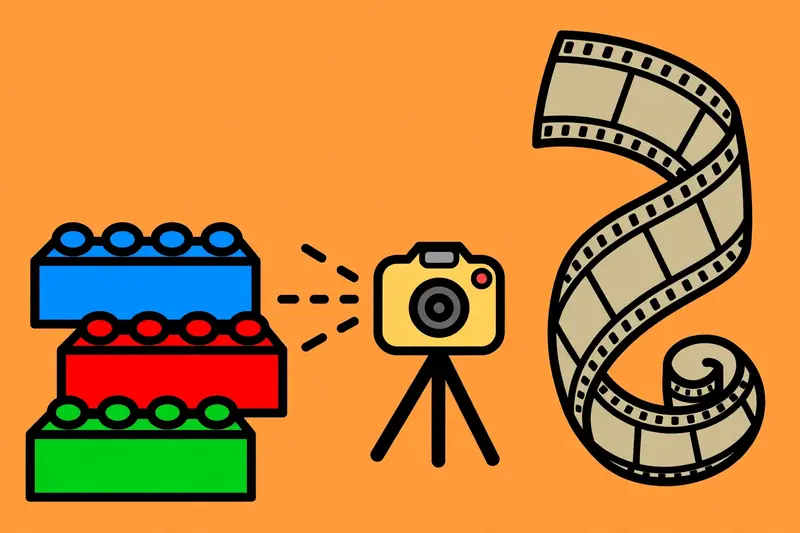
A LEGO minifigure takes one step. Click. It takes another step. Click. Play the photos back at twelve frames a second and the figure walks across your desk all by itself. That is stop motion: hundreds of still photos, each one a tiny nudge from the last, stitched into a film. The computer at the heart of it costs about as much as a video game.
Get the full kit → jumps to the parts list. If you are starting from zero, read the starter-kit guide first. Good companions: the robot car (Project 19), the other camera-on-a-Pi build, and the music-reactive LED strip (Project 04), which teaches the same one-button habit.
What Stop Motion Actually Is
Every film is a trick your eyes play on you: show the eye twelve still pictures in one second and it stops seeing pictures and starts seeing movement. Stop motion builds those pictures one at a time, by hand — pose the figure, take a photo, move it a finger’s width, take another. Ten seconds of film at twelve frames a second is 120 photos, about twenty minutes of relaxed posing: the best first film project for a kid and a parent, because nobody has to be fast.
The Pi earns its place because it removes the two things that ruin a first attempt: a wobbling camera and drifting light. A phone on a stack of books gets bumped; a desk lamp gets switched off at dinner and back on at a different angle. The Pi’s camera is bolted to a tripod that never moves, the light panel is set once and left alone, and a single button takes each frame — so the only thing that changes between photos is the figure you moved. The props are already in the house: LEGO, clay, action figures, paper cut-outs.
What You’ll Need
- A Raspberry Pi 4 Model B, 4 GB — ~$55 est. Runs the camera, saves every frame, and stitches the film. A Pi 5 works too.
- A Raspberry Pi Camera Module 3 — ~$25 est. Plugs into the Pi with a ribbon cable. What matters is that it never moves once the shoot starts.
- A mini tripod with flexible legs — ~$12 est. Holds the camera at desk height; flexible legs wrap around a shelf edge or a stack of books.
- A dimmable LED light panel — ~$20 est. One steady, even light over the stage. Set it once and do not touch it — changing the light between frames is the most visible mistake in stop motion.
- A Bluetooth camera shutter remote — ~$10 est. One frame per press, so nobody’s hand shakes the camera reaching for a keyboard.
- A microSD card, 64 GB — ~$10 est. A few hundred photos per film. 64 GB holds a whole season of movies.
Total: ~$132 in parts, est. (November 2026). You will also need a table, a sheet of paper or a cutting mat for the stage, and whatever figures you already own.
Step 1 — Build the Stage (20 Minutes)
Claim a corner of a table nobody needs for an hour. Lay down white paper, a cutting mat, or poster board — one flat colour, no pattern, so the eye watches the figure and not the tablecloth. Stand the tripod at one end, camera looking across the stage, and tape its feet down with masking tape, marking where each leg sits. If the tripod gets knocked, the marks put it back to the millimetre.
Frame the shot on screen before anything moves: the figure should fill about a third of the frame with room to walk. Mark the frame's edges with tape so you know where the stage ends. Then lock the camera settings — fixed exposure, fixed white balance, no auto anything. Auto-exposure is the enemy: a hand passing over the stage makes the camera re-decide the brightness, and the film flickers. Test with ten frames first — pose, shoot, nudge, shoot, play them back. If the figure glides, the stage is right; if it jumps, halve the moves. A good rule: move the figure about the width of its own foot per frame.
Step 2 — Light It Once, Light It Forever (15 Minutes)
Put the LED panel above and slightly in front of the stage, angled down at about 45 degrees, and switch off the room’s overhead light. One light source means one set of shadows, and shadows that never move are shadows the eye ignores. Two lights mean shadows that argue with each other, and a ceiling light on a dimmer drifts as the house warms up. One panel, one angle, one brightness, left alone for the whole shoot.
Block the daylight: a window behind the camera is fine, but a window beside the stage is not — the sun moves, clouds pass, and a film shot over an hour will brighten and darken with the weather. Close the curtains or turn the stage so the window is behind the camera, then take three test frames five minutes apart; if all three match, the light is locked. A glossy table bounces the panel into the lens — matte paper on the stage fixes it for nothing.
Step 3 — One Button Per Frame (15 Minutes of Shooting)
The shooting loop is four moves, repeated: pose the figure, check the last frame on screen, press the shutter button, move the figure a little. The check matters most. The camera software can show the previous frame faintly over the live view — an onion skin — so you can see exactly where the figure was and where it is now. A move that looks tiny in real life looks enormous next to that ghost.
Keep the shutter remote in the hand that is not moving the figure. Reaching for a keyboard means leaning over the stage — and a leaning elbow bumps the tripod in frame 87 of 120. One click, one frame, saved by frame number. If a frame is wrong — a finger in shot, a figure tipped over — delete just that one and retake it. Pace yourself and plan the story first: three beats are enough — the figure arrives, something happens, the figure leaves. A LEGO astronaut walks in, finds a flag, plants it, walks out. That is a complete film.
Step 4 — Stitch It Into a Movie (10 Minutes)
When the last frame is taken, the Pi turns the numbered photos into a video file with one free command: the stitching tool reads the frames in order at twelve frames a second and writes a standard MP4. Watch it once all the way through before touching anything — the first viewing always finds one bad frame, and fixing it now means retaking one frame, not reshooting the film. A silent film with a title card is a finished film: a hand-drawn card that says “The Astronaut, by” plus a name, photographed as the first frame, turns a clip into a movie with an author.
What NOT to Buy
- A phone clamp instead of a real camera. A phone on a stack of books moves every time someone checks a message on it.
- A ring light as the only light. A ring around the lens flattens everything into shadowless mush. A panel off to one side gives the figures shape.
- A motorised slider or turntable for the first film. Moving the camera between frames doubles the ways a shot can go wrong. Lock the camera down and save the slider for film three.
- Expensive modelling clay for the first build. Cheap clay, LEGO, and paper figures all animate the same way.
- A 4K camera upgrade. Stop motion at 1080p looks clean on every screen in the house. The audience watches the story, not the pixel count.
The Total, Honestly
- Pi 4 (4 GB): ~$55 est. · Camera Module 3: ~$25 est. · Mini tripod: ~$12 est. · LED light panel: ~$20 est. · Bluetooth shutter remote: ~$10 est. · microSD card: ~$10 est.
- Total: ~$132 in parts, est. (November 2026). Already own a Pi and a card? Then this is a ~$67 project — the cheapest camera build in the library.
Build It This Weekend
Tape the tripod down, lock the light, and shoot ten test frames before lunch. If the figure glides, you have a studio — and a ten-second film by dinner. Tomorrow’s build stays practical: a Pi that watches your WiFi and shows every device on your network, including the ones nobody remembers buying.
Where the series goes next: the robot car (Project 19) is the next camera build to try once the studio is running, and the full project library holds everything built so far.